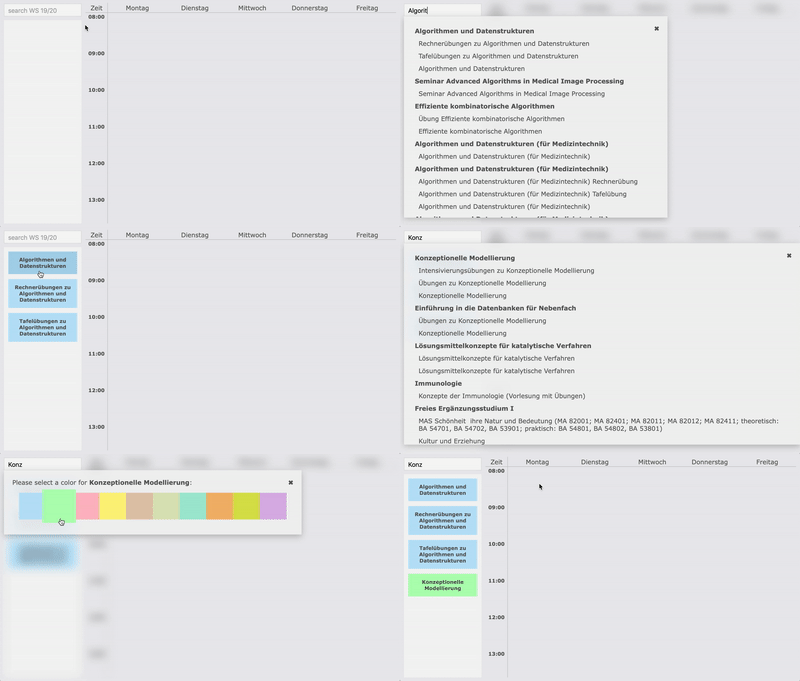
Use the search to add lectures to your clipboard. You can click on the bold module
title to automatically add all lectures of this module.
2. Create Timetable Entries
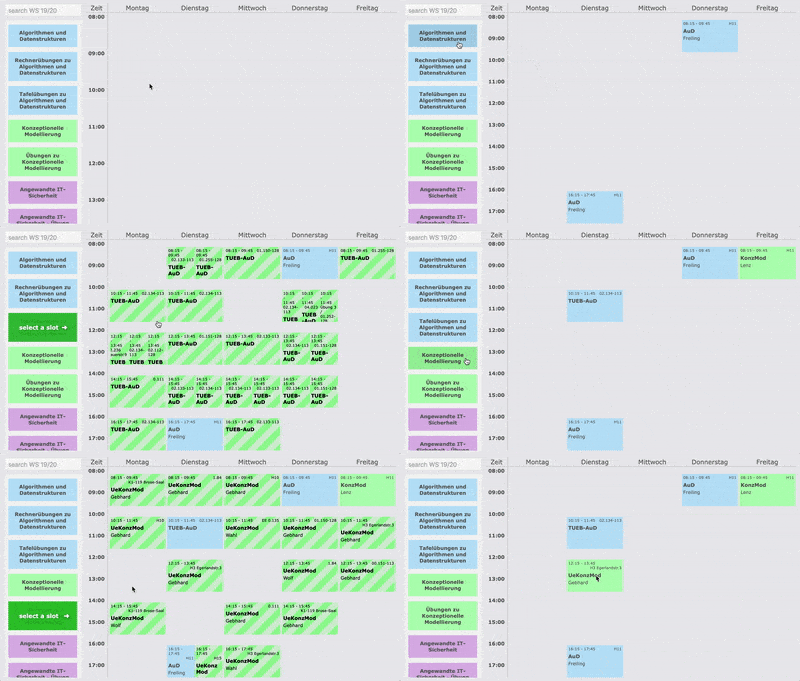
Click on a clipboard element and then on + . Then either a timetable entry will be
created or a selection of alternative slots will be displayed. If so, you can select
a slot by clicking on one of the green hatched areas.
3. Adjust Schedule
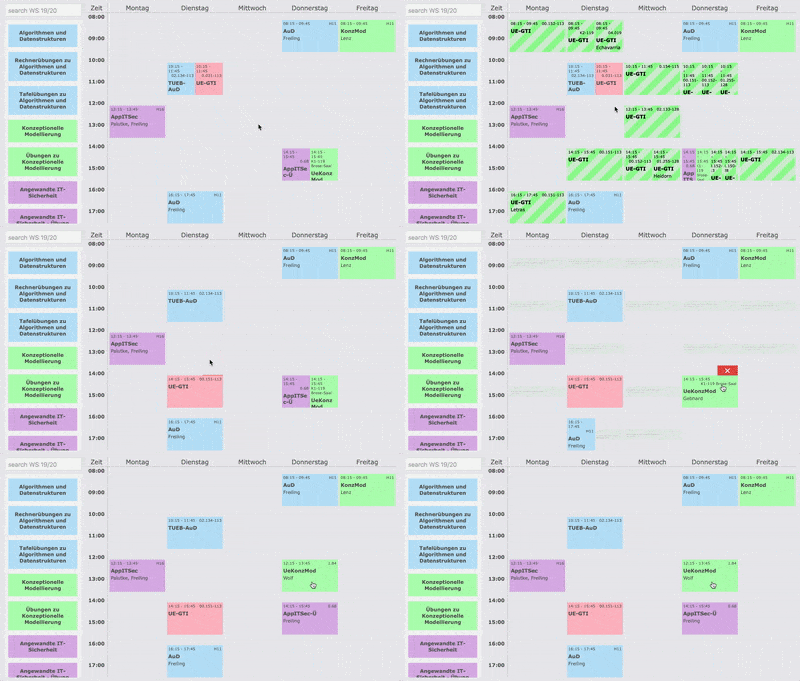
If you don't like some dates or if you have overlaps, you can simply click on an
entry and select possible alternative slots.